How to Clean Vintage Amp Controls and Switches
If you have ever turned up the volume on a vintage receiver and heard a loud crackling scratch instead of music, you already know the problem. Oxidized potentiometers and dirty switch contacts are the most common reason vintage HiFi gear sounds unreliable, and they are also among the easiest problems to fix at home without specialized electronics training.
This guide covers every step of cleaning vintage amp controls and switches, from gathering supplies through the full cleaning procedure, with notes on what not to do, because the wrong contact cleaner will destroy the very components you are trying to save.
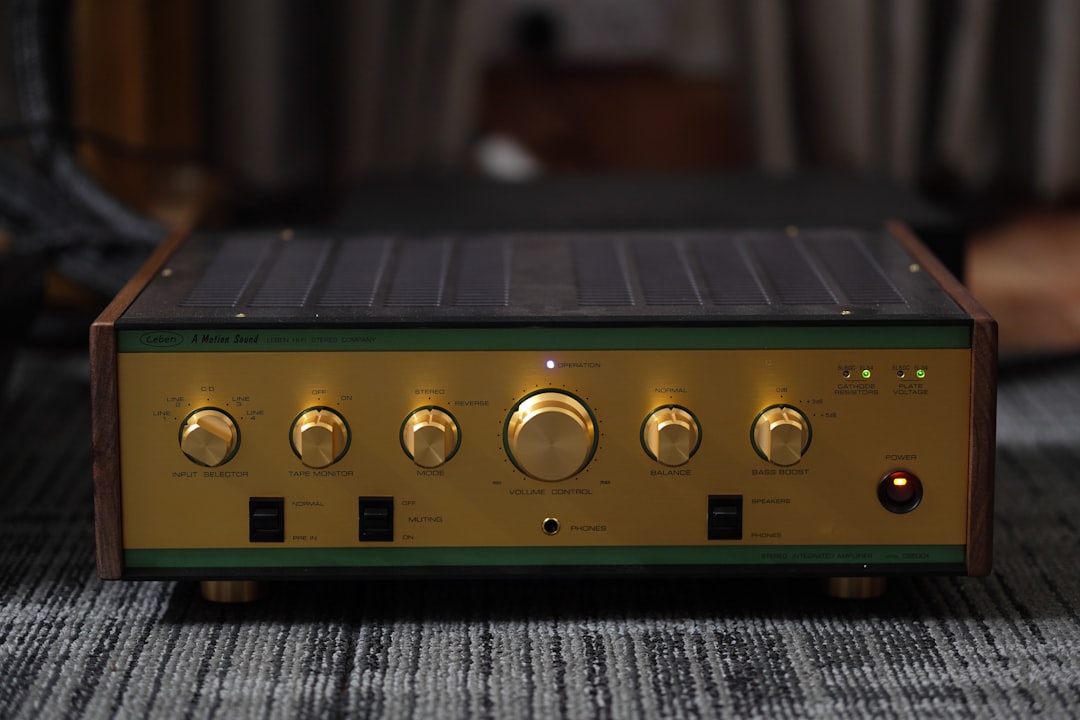
Photo by Tawshif Khan on Unsplash
Safety notice: Vintage amplifiers contain large filter capacitors that can hold a lethal charge even when the unit is unplugged. Before opening any amplifier chassis, unplug the unit and wait at least 30 minutes. If you are working on a tube amplifier, wait longer (60 minutes minimum) and discharge each capacitor individually with a resistor-to-ground discharge tool before touching any internal components. When in doubt, take the unit to a qualified technician.
Why Vintage Amp Controls Go Bad
Potentiometers (volume knobs, tone controls, balance controls) and switches (input selectors, tape monitors, loudness buttons) share one failure mode: oxidation. The carbon resistive element inside a pot gradually builds up a thin layer of oxidized carbon and airborne contaminants. Every time you rotate the control, the wiper drags across this roughened layer and produces the familiar crackling noise. On a switch, the contact surfaces corrode and result in intermittent signal loss or dead channels.
The process accelerates in humid climates, in amplifiers that were stored for years unused, and in gear that saw a lot of cigarette smoke. Dust accumulation is a contributing factor but not the primary one. You can have a very dusty amplifier with perfectly smooth pots if the humidity has stayed low.
Importantly, this is a surface problem. The resistive element itself is almost never worn through. In our experience with dozens of vintage receivers and integrated amplifiers, a proper cleaning has resolved scratchy controls completely in well over 90 percent of cases. Replacement is rarely necessary.
Tools and Supplies You Need
Getting the supplies right matters more than technique. The wrong product will strip the lubricant from carbon pots and turn a scratchy control into a dead one.
Here is what you need and what each item is for:
| Item | Use | Notes |
|---|---|---|
| DeoxIT D-series contact cleaner | Dissolving oxidation on pots and switches | Use sparingly; a little goes a long way |
| 99% isopropyl alcohol (IPA) | General cleaning of PCB surfaces and switch contacts | Must be 99%, not 70% or 91% which leave residue |
| Small natural-bristle brushes | Working cleaner into tight spaces | Avoid synthetic bristles, which can generate static |
| Cotton swabs (no-fuzz type) | Cleaning switch contacts and PCB traces | Standard cotton swabs shed fibers; electronics swabs do not |
| Compressed air | Removing loose dust before wet cleaning | Blow before you wipe |
| Plastic prying tools | Removing knobs and panels without scratching | Never use a metal screwdriver on cosmetic surfaces |
| Needle-nosed pliers | Removing stubborn knobs with set screws | Wrap the jaws with tape |
| Small Phillips and flathead screwdrivers | Opening the chassis | Match the driver to the screw head exactly |
The one product you must have is a quality contact cleaner formulated for carbon elements. DeoxIT D100L-25C Contact Cleaner is the standard choice among vintage audio restorers. It includes a precision needle applicator that lets you place a small drop directly into the pot body without flooding the surrounding board.
For IPA, use a high-purity 99.9% formulation. WoldoClean Isopropyl Alcohol 99.9% comes in a large bottle, which is practical if you are cleaning multiple pieces of gear. For brushes, a multi-piece set like the CRAFNEW Small Cleaning Brush Set gives you enough variety to reach different component profiles without committing to a single brush diameter.
Do not use WD-40. Do not use brake cleaner. Do not use generic electronics spray from a hardware store. These products are not formulated for carbon resistive elements and will accelerate the failure they are supposed to prevent.
Step-by-Step: How to Clean Vintage Amp Potentiometers
This procedure works for volume controls, balance controls, bass and treble controls, and any other rotary pot on a vintage amplifier.
Step 1: Unplug the amplifier and wait. As noted above, wait at least 30 minutes after unplugging before opening the chassis. Do not skip this step.
Step 2: Remove all knobs. Most vintage Japanese receivers used press-fit knobs (pull straight out) or knobs with small set screws on the side. Look for a small flathead screw on the side of the knob shaft before you pull. If you yank a set-screw knob, you will strip it. Once the screw is loosened, the knob should slide off with light pressure.
Step 3: Open the chassis. Remove the top cover. On most receivers from the 1970s, this means removing 4-6 screws on the back panel and sliding the cover rearward and up. Set the cover aside in a safe place.
Step 4: Identify each potentiometer. Pots are the cylindrical components connected to the control shafts. Each has a small opening on the body where the wiper contacts the resistive strip. This opening is where the cleaner goes.
Step 5: Apply contact cleaner sparingly. Using the precision needle applicator, place one small drop of DeoxIT D-series cleaner into the opening on the pot body. You want the cleaner inside the component, not flooding the solder joints or surrounding board traces. One drop is usually enough. Two drops maximum.
Step 6: Work the control. Immediately after applying the cleaner, rotate the pot through its full range of motion 15-20 times. This distributes the cleaner across the resistive element and wiper, and the motion helps mechanically break up the oxidation. You will often hear the crackling improve within the first few passes.
Step 7: Repeat if needed. If the control is still scratchy after 20 rotations, apply one more drop and repeat. In our experience, two applications resolve nearly all cases. A third application is occasionally necessary on controls that have not been touched in 20 or more years.
Step 8: Allow to dry. Let the amplifier sit open for 15-20 minutes before powering it on. DeoxIT contains a mild solvent carrier that should evaporate before you apply power.
Step 9: Test under power. Reconnect your speakers, power the unit on, and slowly work each control through its range while listening for crackling. Most controls will be silent or nearly silent immediately.
Step-by-Step: How to Clean Vintage Amp Switches
Input selector switches, tape monitor buttons, loudness switches, and muting controls all use physical contacts that corrode in the same way as pot wipers. The cleaning procedure is similar but requires slightly more access work.
Step 1: Locate the switch contacts. Rotary input selectors on vintage receivers often have an access point from the front panel side once the knob is removed. Slide or toggle switches may be directly accessible from the top of the board.
Step 2: Apply IPA to a no-fuzz cotton swab. For switch contacts accessible from outside, dampen a no-fuzz swab with 99% IPA and wipe the contact faces directly. The goal is physical removal of the oxidized layer. Work the swab across the contact several times with light pressure.
Step 3: For enclosed switches, use a drop of contact cleaner. If the switch housing is sealed and the contacts are not accessible, apply a small amount of DeoxIT through any gap in the housing and cycle the switch 20-30 times. This is less thorough than direct contact cleaning but usually sufficient.
Step 4: For rotary selectors with open construction. Many vintage Japanese receivers use open-frame rotary selectors where each contact position is visible with the knob removed. These respond well to a light spray of IPA followed by a thorough wipe with a no-fuzz swab, and then a small application of DeoxIT to the contacts themselves. Rotate through all positions several times after cleaning.
Step 5: Check the tape monitor circuit. The tape monitor switch is a common source of dead channels on vintage receivers. Even if you never use a tape deck, the tape monitor circuit passes the signal when engaged, and the contacts on these switches corrode just like any other. Clean it along with the input selector even if it appears to be working.
Related reading: How to Service a Vintage Turntable: Belts, Bearings, and Cleaning covers the same methodical approach applied to the mechanical side of your front-end source component.
Common Mistakes and What to Avoid
Using too much cleaner. The most frequent mistake is over-application. Contact cleaner is not a soak. A single drop per pot body is the correct dose. Flooding a pot body will wash the factory lubrication out of the wiper mechanism and leave the control feeling rough or gritty even after the oxidation is gone.
Using the wrong product. As mentioned, WD-40 is not a contact cleaner. It is a water-displacement oil that will gum up carbon pot elements over time. The same applies to any oil-based lubricant. Only use products explicitly rated for carbon resistive elements.
Skipping the cycling step. Applying cleaner and immediately reassembling the unit does almost nothing. The mechanical cycling is what distributes the cleaner and removes the oxide layer. 20 rotations is the minimum; 30 is better for badly corroded controls.
Cleaning while powered. This should go without saying but is worth stating clearly. Never apply any liquid to electronic components while the unit is plugged in. In addition to the obvious risk of electrocution from the mains voltage, you risk shorting capacitors that may still be holding a charge.
Skipping the tape monitor switch. This one causes hours of troubleshooting when it is the actual problem. A corroded tape monitor switch can produce intermittent audio in one or both channels and is very easy to mistake for a transistor or capacitor fault. Always clean all switches, not just the ones you think you use.
Putting knobs back on before testing. Test the controls under power before pressing the knobs back on. If a control is still noisy, you will need to remove the knob again for a second cleaning pass. Discovering this with the knobs already on is unnecessary extra work.
For guidance on what to check when buying a vintage receiver that will need this kind of service, see Vintage Receiver Guide: What to Look for on the Used Market.
Troubleshooting: When Cleaning Does Not Work
In most cases, cleaning resolves the problem completely. When it does not, the cause is usually one of the following:
The pot is mechanically worn. If the wiper track itself is worn through, no amount of cleaning will help. A worn pot will have a dead zone or extreme channel imbalance at one position in its rotation. The solution is replacement with a matching part. Mouser Electronics and Digi-Key both carry replacement potentiometers with the original shaft dimensions for most common Japanese receivers.
The problem is not the pot. Dead channels and intermittent audio have multiple causes beyond dirty controls. A cracked solder joint, a failed output transistor, or a dried-out electrolytic capacitor will produce symptoms that look like a dirty pot. If cleaning the controls does not fix the problem, the next step is visual inspection of the solder joints and a capacitance check of the power supply caps.
The switch is damaged, not corroded. Physical damage to switch contacts, such as bent or broken contact leaves, cannot be fixed with cleaning. Inspect the contacts under a magnifying glass after cleaning; if the metal is deformed rather than just discolored, the switch needs replacement.
The contact cleaner has not fully dried. If the amplifier sounds worse immediately after cleaning than it did before, the solvent carrier in the cleaner may still be present. Power down, wait 30 more minutes, and retest.
According to the Audiokarma community forum, a long-running resource for vintage HiFi restoration, the majority of “broken” vintage receivers that arrive in their sold listings were simply in need of control cleaning and basic maintenance, which is consistent with our own experience across the bench.
FAQ
How often should I clean vintage amp controls? There is no fixed schedule. Clean them when they become noisy. A well-maintained amplifier stored in a stable, low-humidity environment may go 10 years or more between cleanings. An amplifier stored in a garage or basement may need cleaning every few years. If you buy used gear, plan to clean all controls as part of initial setup regardless of how quiet they seem. Corroded contacts do not always produce audible noise until they are almost completely failed.
Can I clean pots without opening the amplifier? Partially. Some pots have the body exposed through a gap in the front panel that allows you to apply cleaner through the shaft hole without removing the chassis cover. This works, but it is less effective than having clear access to the pot body opening. For proper results, open the chassis.
What is the difference between DeoxIT D5 and DeoxIT F-series? DeoxIT D-series products (D5, D100, D100L) are contact cleaners and restorers formulated for carbon and metal contacts. The F-series (Fader Lube) is formulated for fader controls and contains a lubricant additive. Use F-series on audio faders like those on a mixing board; use D-series on rotary pots and switches. Using F-series where D-series is called for will leave a slightly greasy residue; it will not damage the component but may attract dust.
Is it safe to clean tube amplifier controls the same way? Yes, for the controls themselves. The cleaning procedure is identical. The safety precautions are more important: tube amplifiers operate at high plate voltages (typically 250-500V DC) and the filter capacitors in tube gear hold charge for longer than solid-state equipment. Wait at least 60 minutes after unplugging, and discharge each capacitor before working near any internal components. The control shafts themselves are isolated from the high-voltage circuits, so once the capacitors are safely discharged, the cleaning procedure is the same.
My volume control has a dead spot in one channel. Will cleaning fix it? If the dead spot is due to corrosion, yes. If it is due to mechanical wear, no. Here is how to distinguish them: apply contact cleaner and cycle the control 25 times. If the dead spot moves or the imbalance improves during cycling, corrosion is the cause and further cleaning will resolve it. If the dead spot is fixed in place and does not change through the cycling process, the resistive track is worn through and the pot needs replacement.
Bookmark this guide for the next time a scratchy pot brings your listening session to a halt. Drop a comment below if you have a specific control configuration that is giving you trouble.