Cassette Deck Revival: How to Get Started
There is something about pressing play on a cassette deck that no streaming service can replicate. The mechanical click of the transport, the slight warmth of a good bias setting, the tape hiss that somehow feels like presence rather than noise. Cassette has come back in a real way over the last few years, and it is not just nostalgia. Serious listeners are finding that a well-maintained tape deck in a good system holds its own.
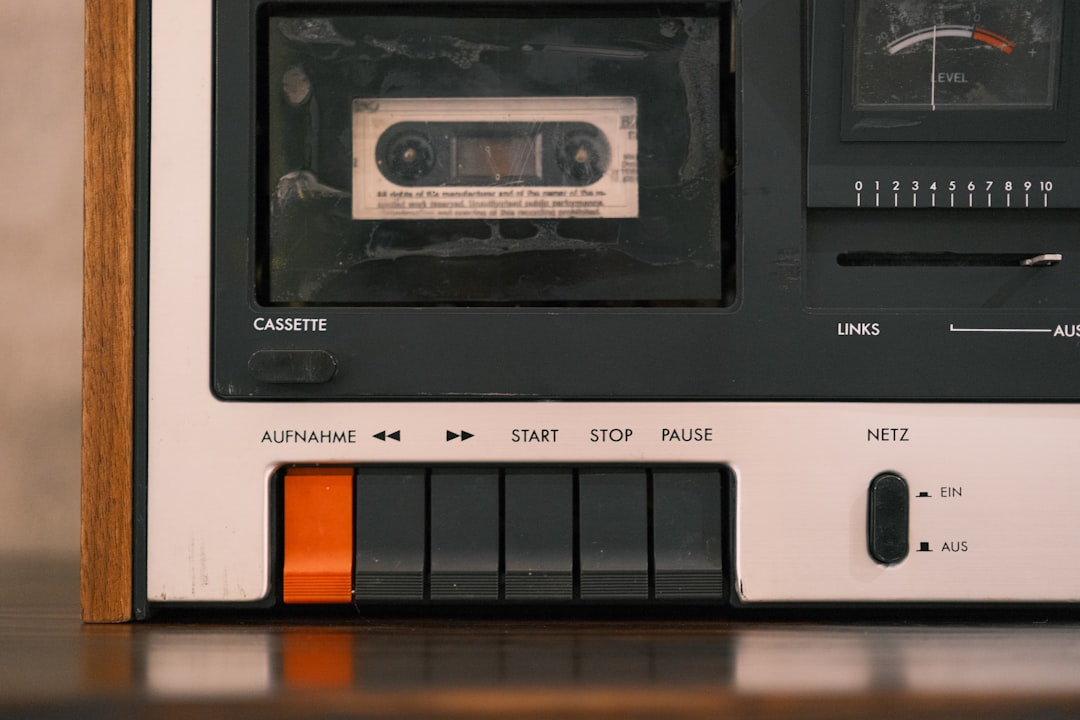
Photo by Hai Nguyen on Unsplash
This guide covers everything you need to go from zero to a working cassette setup: what decks to look for, what to avoid, how to evaluate a used machine, what tapes to buy, and how to keep everything clean and aligned. We have spent time on the bench with several decks and will share what actually makes a difference versus what is marketing.
What Makes a Good Cassette Deck Worth Reviving
Not all cassette decks are equal, and the gap between a budget machine and a well-engineered transport is audible. The components that define cassette performance are the transport mechanism, the head quality, and the electronics behind bias and equalization.
Transport quality determines how consistently tape moves across the heads. Wow and flutter, the subtle speed variations that smear transients and widen stereo imaging, come almost entirely from transport slop. High-end decks used heavy flywheels, precision pinch rollers, and tight-tolerance capstans. Entry-level machines skipped these. When evaluating a used deck, transport quality is the hardest thing to restore and the most important thing to get right from the start.
Head quality determines frequency response, channel separation, and noise floor. Three-head decks, where separate heads handle erase, record, and playback, let you monitor off the tape in real time during recording. This is not a luxury feature; it lets you hear exactly what is being committed to tape, including any azimuth or bias issues, before the recording is done. Two-head decks use a single record/play head and are fine for playback-only use.
Bias and EQ matter most for recording. Cassette tape types (Type I normal, Type II chrome, Type IV metal) require different bias settings. A deck that lets you manually trim bias per tape type will consistently outperform one locked to automatic settings. In our experience with a range of decks, getting bias right adds more apparent detail and dynamics than any other adjustment.
For someone starting out, the sweet spot on the used market is Japanese-made three-head decks from the late 1970s through the late 1980s: Nakamichi, Sony ES, Pioneer CT-series, Technics RS-series, Kenwood KX-series, Akai GX-series, and Denon DN or DRM-series machines. These were built to last and respond well to routine maintenance.
How to Find and Buy a Used Cassette Deck
The used cassette market is active but uneven. Prices have risen significantly since around 2020, and sellers who do not know what they have will sometimes list a broken machine at a premium just because it looks clean.
Where to look: eBay remains the widest market. Local classifieds (Facebook Marketplace, Craigslist, Offerup) are better for finding untested units cheaply from people cleaning out a basement. Estate sales and thrift stores occasionally turn up machines, though tape heads on thrift-store finds are usually worn from continuous operation.
What to ask before buying remotely: Does it power on? Does the tape transport engage, fast-forward, and rewind without stalling? Has it been serviced recently? Any known channel imbalance, dropout, or speed issues? A seller who can answer these questions has actually tested the machine.
Red flags: Pinch rollers that look flat, glazed, or cracked. Belts that are clearly slack or absent. A transport that hesitates before engaging. Oxidized or pitted heads. Any mention of “plays but sounds muddy” usually means the heads are dirty or the azimuth is off, which may be fixable, but budget for it.
Reasonable prices in 2026: Functional mid-tier two-head decks run $50-$150. Good three-head machines in working condition start around $150 and go up quickly for known performers like Nakamichi or Sony TC-K-series. Anything advertised as “just serviced” by a known technician commands a premium that is usually justified.
If you prefer a new machine rather than hunting used, the TEAC W-1200B is the only serious new dual-deck cassette option currently available. It is not a vintage machine and does not perform like one at the top end, but it works reliably, records to both Type I and Type II tape, and is a sensible entry point if you want something that does not need maintenance before you start.
Setting Up Your Deck: First Steps Before You Press Play
Before loading a tape into a newly acquired deck, take ten minutes to inspect and clean it. Skipping this step is how people end up with deposits from an old moldy tape baked onto a freshly cleaned head.
Step 1: Check the belts. Most cassette decks from this era use rubber belts to drive the capstan motor and reel mechanisms. These degrade over time regardless of use, turning gummy or brittle and causing speed instability or transport failure. Open the top cover and look. If belts are present but look shiny, flat, or slightly sticky, they need replacement. Belt replacement kits for most common models are readily available from eBay sellers and specialty audio parts suppliers; budget $10-$20 per deck.
Step 2: Inspect the pinch roller. The pinch roller presses tape against the capstan to maintain constant speed. A hardened or flat-spotted pinch roller causes wow and flutter. It should be slightly soft and completely smooth. If it is glazed, scrub it gently with isopropyl alcohol on a cotton swab. If it is cracked or hard, replace it.
Step 3: Clean the heads, capstan, and pinch roller. Use 90% or higher isopropyl alcohol and cotton swabs. Drag the swab across the head face in the direction of tape travel only. Do the capstan the same way. Clean the pinch roller with a circular motion. Do this before every recording session and every ten hours of playback. In our experience with several restoration projects, head cleaning alone has recovered decks that appeared to have head wear but actually just had oxide buildup.
Step 4: Check head azimuth with a reference tape. Azimuth is the vertical angle of the head gap relative to the tape. Even a slight misalignment smears high-frequency response and collapses stereo imaging. Play a known-good tape and check for HF content and center image stability. If either is off, azimuth may need adjustment, which requires a test tape and a small screwdriver.
Step 5: Demagnetize the heads. Magnetized heads add noise and compress dynamics. Use a cassette demagnetizer before your first recording session and periodically after that. The Vinyl Styl Audio Cassette Head Cleaner and Demagnetizer handles both steps in a single cassette-sized cartridge and is the simplest option for regular maintenance.
Choosing and Using Cassette Tapes
Tape choice matters more than most people starting out expect. The blank tape market has contracted significantly from its peak, but good options still exist.
Type I (normal bias) is the standard formulation and works in every deck. It is the easiest to find, the cheapest, and still performs well for general recording. Maxell UR, TDK D, and Sony HF remain available and are reliable.
Type II (chrome or chrome-equivalent) requires a deck with a Type II bias switch and delivers noticeably better high-frequency response and reduced noise. TDK SA and Sony UX-S were the reference chrome tapes at their peak. New Type II tape from manufacturers like Recording the Masters (RTM) and RMGI is available for those who want current production without hunting NOS stock.
Type IV (metal) offers the highest output and widest frequency response but requires a deck with a metal-capable bias setting. Most mid-tier decks do not support metal. Unless you specifically have a deck like a Nakamichi Dragon or a Sony TC-K700ES that handles metal well, Type II is where to put your attention.
A practical starting pack is a box of blank 90-minute Type I cassettes for making recordings and experimenting with bias, plus a few pieces of used NOS Type II stock from eBay for serious recording sessions. C-60 (30 minutes per side) and C-90 (45 minutes per side) are the most useful lengths. Avoid C-120 tapes; the thinner tape stock is more prone to stretching and dropouts.
Tape storage: Store tapes spine-out in their cases, away from magnetic fields and heat. Fast-forward to the end and rewind before long storage to prevent print-through, which is when a loud passage bleeds a faint ghost onto the adjacent layer of tape.
Recording: Getting Good Results from Your Deck
Recording well on cassette requires more attention than just pressing record. The variables are bias, input levels, and source quality.
Set input level correctly. The loudest peak in your program should hit 0 VU on the meter, with brief excursions to +3 or so on transients. Hitting the tape too hot causes saturation and distortion. Too low and you are burying the signal in tape noise. Most decks have a separate record level control for each channel; take time to match levels before committing.
Match bias to your tape. If your deck has a variable bias control, use it. Record a test tone (1 kHz is standard) and then a 10 kHz tone at the same input level, then play back and measure the level difference. Adjust bias until the 10 kHz playback level matches 1 kHz as closely as possible. Over-biased recordings sound smooth but lose HF detail. Under-biased recordings sound bright and slightly distorted.
Use Dolby noise reduction consistently or not at all. Dolby B and Dolby C encode during recording and decode during playback. If you record with Dolby B and play back without it, the result is HF-heavy and unpleasant. Pick a setting and stick with it for a tape. Dolby C gives better noise reduction but is less tolerant of level errors.
Source quality matters. In our experience testing both digital and analog sources into a three-head deck, a clean digital source (24-bit FLAC at proper gain staging) sounds excellent on cassette. The tape adds its own character but does not hide a bad recording. A poorly mastered stream will sound like a poorly mastered stream, just with tape hiss added.
Comparison: Entry-Level vs. Mid-Tier vs. High-End Cassette Decks
| Entry-Level (2-head, no auto-reverse) | Mid-Tier (3-head, manual bias) | High-End (3-head, Dolby C/HX Pro) | |
|---|---|---|---|
| Examples | Pioneer CT-301, Kenwood KX-11 | Sony TC-K550, Technics RS-B305 | Nakamichi Dragon, Sony TC-K700ES |
| Typical price (used, working) | $30-$80 | $100-$250 | $400-$1500+ |
| Heads | Combined record/play | Separate erase/record/play | Separate, lapped or azimuth-adjust |
| Off-tape monitoring | No | Yes | Yes |
| Bias adjustment | Fixed | Manual trim | Per-tape calibration |
| HX Pro | No | Sometimes | Often |
| Best use | Playback and casual recording | Serious recording and playback | Reference recording |
For most people starting a cassette revival setup, a mid-tier three-head deck is the target. It gives you everything that matters without the cost and scarcity of a Nakamichi. The Sony TC-K550 and Technics RS-B305 are consistently good buys when found in working condition.
Common Mistakes New Cassette Users Make
Buying a deck without testing the transport. A deck that plays but has a failing belt or pinch roller will seem fine for the first few tapes and then start eating them. Test fast-forward and rewind before committing.
Not cleaning heads before recording. Oxide deposits from old tapes accumulate on heads and create dropout, meaning brief moments of reduced level or silence in the playback. Clean before every session.
Ignoring azimuth. Soft, vague high frequencies on playback are often blamed on head wear when the real cause is azimuth drift. A tape recorded on one machine with its azimuth at one angle will play back differently on a machine at a different angle. Three-head decks that let you trim azimuth while playing back a reference tape are valuable for this reason.
Using cheap or old tape without testing it first. Old tape from 1980s stock can shed oxide, depositing it on the heads and capstan within one pass. Test any tape you are unsure of on a sacrificial deck before running it through a freshly cleaned machine.
Storing tapes in cars or garages. Heat causes binder degradation and print-through. Even a few hours at high temperature can permanently damage a tape.
FAQ
Can I still get cassette decks repaired professionally?
Yes, though the number of technicians who work on cassette decks has shrunk. The best place to find one is through the Tape Heads forum, which maintains a regional technician list. Expect to pay $80-$150 for a full service on a mid-tier deck, including belt replacement, pinch roller inspection, head cleaning, and bias/level calibration. For high-end machines like Nakamichi, specialists command more.
How many hours does a cassette head last?
A well-maintained head in regular use typically lasts 1,000 to 2,000 hours before wear becomes audible as HF loss. Heads that have been run dirty or with oxide-shedding tapes wear faster. You can assess wear visually with a loupe: the head gap should be a clean, straight line. If the gap looks rounded at the edges or uneven in depth, wear is significant.
Is new cassette tape as good as old NOS tape?
For Type I and Type II, new production from RTM (Recording the Masters) and RMG is genuinely good, better than the degraded NOS tape that has been stored in unknown conditions. For Type IV metal, older formulations like TDK MA-R and Maxell MX from the late 1980s are hard to beat and worth hunting in good condition.
What is the difference between Dolby B and Dolby C?
Both are analog noise reduction systems that compress quiet high-frequency signals during recording and expand them on playback, reducing the tape noise that would otherwise be audible in quiet passages. Dolby C provides approximately twice the noise reduction of Dolby B but is less forgiving of level mismatches and not as widely compatible across decks. Dolby B is the safer default for making recordings you intend to share or play back on multiple machines.
Do I need a separate phono stage to connect a turntable to a cassette deck?
Yes. A cassette deck takes a line-level input, the same level as a CD player or DAC output. A turntable requires a phono preamp between the cartridge and the deck. If your vintage receiver has a phono input, connect the turntable to the receiver and take a tape output from the receiver to the deck input. This is the standard setup.
Getting into cassette revival does not require a large investment or an obsession with gear. Find a working three-head deck from the late 1980s, spend an hour cleaning and inspecting it, stock up on good blank Type I and Type II tape, and start recording. The format rewards attention: a properly biased recording on a well-maintained deck through a good system sounds genuinely impressive.
If you are also setting up a turntable to record from, our guide to how to replace a turntable stylus covers keeping your source end in shape. For the full system context, the vintage receiver guide walks through what to look for in the amplification stage that will sit between your sources and your tape deck.
Bookmark this guide for reference when you are evaluating a deck or dialing in a recording session. The learning curve is real but short, and the results are worth it.