How to Diagnose Hum in a Vintage HiFi System
You powered up the vintage receiver, dropped the needle, and instead of music, you got a wall of hum. Few things are more discouraging after a successful find at the thrift store or estate sale. The good news: hum in a vintage HiFi system almost always has an identifiable cause, and most causes are fixable without sending the unit to a technician.
This guide walks through the most common hum sources in vintage gear, a step-by-step diagnostic method to isolate exactly where yours is coming from, and the fixes that actually work.
Safety note: Vintage amplifiers and receivers, especially tube-based units, contain capacitors that hold lethal voltages even after the unit is powered off and unplugged. Do not open the chassis, probe internal components, or touch any circuit boards without first understanding how to safely discharge filter capacitors. If you are not confident doing this, limit your diagnostics to external connections and leave internal work to a qualified technician. Never work inside a powered-on unit.
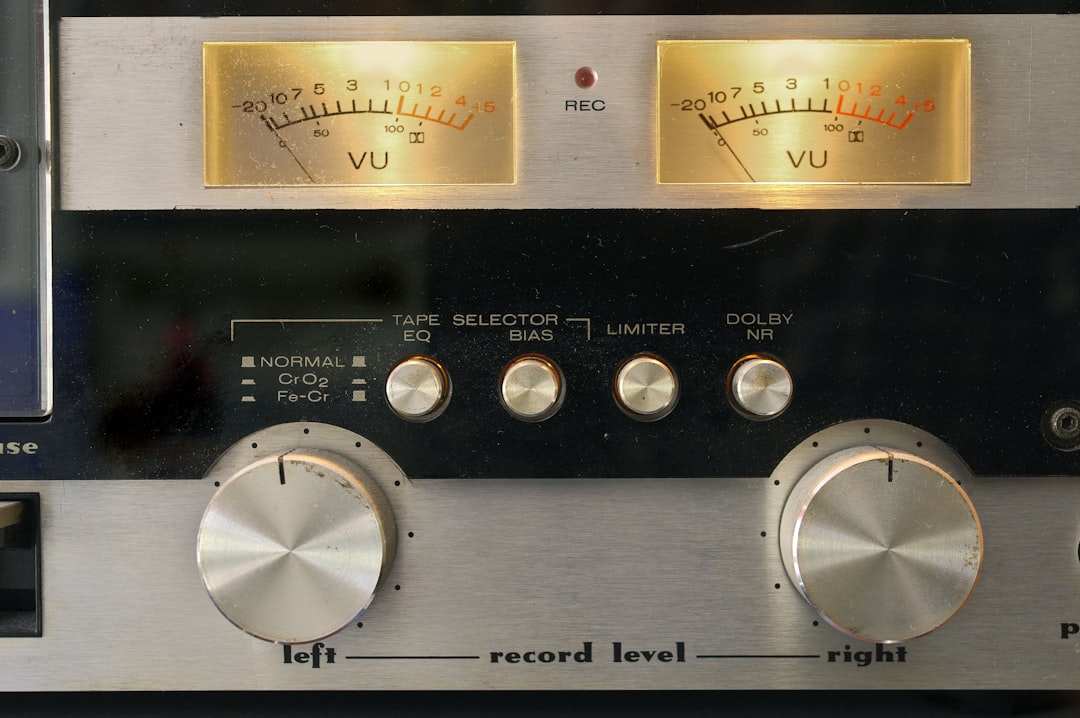
Photo by Immo Wegmann on Unsplash
What Type of Hum Are You Hearing?
Before reaching for a tool, listen. The character of the hum tells you a great deal about where to look.
60 Hz hum sounds like a low, steady drone, roughly the pitch of a bass guitar’s open E string. In North America, AC power runs at 60 Hz, and this is the classic signature of a ground loop or an unshielded cable picking up interference from a nearby power transformer. You will often notice it worsens when you touch a metal component or the chassis of the amp.
120 Hz buzz is a slightly higher-pitched and often harsher tone, exactly double the power frequency. This is typical of power supply problems inside the amplifier itself, particularly a failing filter capacitor that can no longer smooth the rectified DC voltage. It can also come from fluorescent lighting nearby.
Hiss mixed with hum often points to a noisy phono stage, a worn or mismatched cartridge, or a preamp stage that is running at the edge of its headroom.
Intermittent or variable hum that changes when you rotate the volume knob suggests dirty potentiometers or switch contacts. If turning the volume knob makes the hum crackle and shift, address the controls first before doing anything else. Our guide on cleaning vintage amp controls and switches covers that process in detail.
Establishing whether the hum is 60 Hz or 120 Hz is useful enough that we keep a basic digital multimeter on the bench. Touching one probe to a chassis ground and the other to the output signal path (with everything powered down correctly) can confirm AC ripple on the supply rail. But even without a meter, listening carefully to the pitch is usually enough to point you in the right direction.
Ground Loop Hum: The Most Common Culprit
A ground loop happens when two pieces of equipment in your system are connected to AC ground through different paths, creating a small but audible voltage difference between their chassis. That difference rides on your audio signal as hum.
Ground loops are especially common in systems where components are plugged into different wall outlets or different power strips. The turntable may be on one circuit, the receiver on another, and the television or streaming device on a third. Each path to ground has slightly different impedance, and the result is a loop that acts as an antenna for 60 Hz interference.
The clearest sign of a ground loop is that the hum is present regardless of which input you select on the receiver, including a completely unconnected input with the volume turned up. If you hear hum on every input, the loop is likely in your power distribution rather than in any one piece of equipment.
Testing for a ground loop: Disconnect all signal cables from the receiver but leave everything powered. If the hum disappears with no cables connected, a ground loop is almost certainly the cause. Reconnect one cable at a time to identify which connection introduces it.
Common fixes:
- Plug all components into the same power strip or conditioner so they share a single ground reference. This is often enough on its own.
- Add a ground loop isolator on the RCA interconnects between the problem component and the receiver. The AV Link Ground Loop Isolator is inexpensive and handles most line-level ground loops without any audible degradation in our testing.
- On a turntable, ensure the dedicated ground wire (the thin wire separate from the RCA cables) is connected firmly to the grounding post on the phono input of the receiver or preamp. A loose or missing ground wire is one of the most common causes of turntable hum.
- Replace low-quality RCA interconnects with cables that use double-shielded construction and ferrite cores. Shielded cables like the Wekuant Audiophile RCA Cable with Ferrite Cores reduce interference pickup along the cable run, which can matter if you have long cable runs near power cables.
Power Supply Hum: When the Problem is Inside the Amp
If the hum is present even with all inputs disconnected and all signal cables removed, and especially if it has that harsher 120 Hz character, the power supply inside the amplifier itself is the most likely source.
Vintage amplifiers use large electrolytic filter capacitors to smooth the rectified AC into steady DC voltage. These capacitors age. After 30 to 50 years, their capacitance drops, their equivalent series resistance rises, and they can no longer adequately filter the ripple from the rectifier. The result is 120 Hz ripple on the supply rails, which gets amplified along with your music.
How to confirm: Measure the DC voltage on the supply rails with a multimeter set to AC volts (to read ripple). Any reading above 50-100 mV AC on a supply rail that should be clean DC is a sign the filter caps are failing. On a tube amp, acceptable ripple is lower still, often under 10 mV.
The fix: Recapping the power supply section. This is a common repair on vintage gear and one that restores the amp to original performance. It requires desoldering the old capacitors, sourcing replacements of equal or better specification, and installing them correctly, paying attention to polarity. If the amp has been sitting unused for years, it is also worth reforming the capacitors slowly using a variac before applying full voltage, which helps the capacitor dielectric reform and can prevent a catastrophic failure on first power-up.
Power supply recapping is internal work. If you are not comfortable soldering or working near high-voltage circuits, this is a job for a technician. The cost is typically moderate for a receiver and is almost always worth it to restore an otherwise-good unit.
Turntable and Phono Stage Hum: Isolating the Source
Turntables introduce hum more often than any other source component in a vintage system, and the causes are specific to the phono chain.
The turntable ground wire is the first thing to check. Most turntables have a thin wire, usually with a spade or bare end, that runs separately from the RCA cables. This wire needs to connect to the grounding post on your phono preamp or receiver. If it is loose, corroded, or absent, the result is often a loud, continuous 60 Hz hum specifically on the phono input that is absent on other inputs.
Cartridge and tonearm wiring can also introduce hum. The four small wires that connect the cartridge pins to the tonearm leads are fragile and prone to developing intermittent contact or shorts. A shorted channel or a broken shield in the tonearm wiring produces hum that may vary with tonearm position. If you suspect this, wiggle the tonearm gently with the needle lifted while listening: any change in the hum points to a wiring fault.
Phono preamp gain and loading mismatches can cause noise that sounds like hum but is actually a combination of self-noise and signal overload. An MM cartridge connected to an MC input stage (or vice versa) will be severely mismatched in both gain and loading. Always verify that your cartridge type matches your phono stage settings. Our post on matching impedance between amps and speakers covers impedance principles that apply to phono loading as well.
Motor interference is another turntable-specific issue. Some turntables, particularly belt-drive units with the motor positioned close to the tonearm, can induce hum through proximity. Confirm by lifting the needle and touching it to the record without playing: motor hum present without signal confirms motor interference. Repositioning the motor or using a thicker platter mat can reduce this.
Step-by-Step: How to Isolate Where Your Hum is Coming From
Work through these steps in order. Each one narrows down the cause before you move to the next.
Step 1: Check your power distribution. Plug all components into a single power strip or conditioner. Listen again. If the hum reduces or disappears, the issue was a ground loop caused by components on different circuits.
Step 2: Disconnect all signal cables. Remove every RCA interconnect and the turntable ground wire from the receiver. Power up the receiver with nothing connected and turn the volume up. If hum is still present with nothing connected, the problem is inside the receiver (power supply, tubes, or internal wiring). If hum is gone, the source is in the signal chain.
Step 3: Reconnect one source at a time. Add each component back one at a time, starting with the turntable, then a CD player, then a streaming device. Listen after each addition. The connection that brings the hum back is your culprit component or cable.
Step 4: Swap cables. When you have identified the connection that introduces hum, try a different RCA cable. A broken shield or a poorly terminated connector can cause hum that looks like a component problem. Quality shielded cables with ferrite chokes, such as snap-on suppressors from a kit like the Roctee EMI RFI Ferrite Choke Snap-On Noise Suppressor, can also be added to existing cables as a first diagnostic step.
Step 5: Check all ground connections. Verify the turntable ground wire is connected and making good contact. Check that interconnects are fully seated. Inspect any chassis screws used as ground points: corrosion at these points is common on vintage gear.
Step 6: Test the turntable ground wire specifically. Disconnect the turntable ground wire from the receiver and touch it to a nearby ground point such as a chassis screw. If the hum changes, the path between the turntable ground and the receiver ground post has too much resistance or a break.
Step 7: Isolate the input. If hum is present on the phono input but not on other inputs, the problem is specific to the phono stage. Hum on every input, including line-level sources, usually means a ground loop or a power supply issue.
| Hum Behavior | Likely Cause |
|---|---|
| Disappears when all cables removed | Ground loop between components |
| Present even with no cables connected | Internal power supply (recap needed) |
| Only on phono input | Missing/loose turntable ground wire or phono stage issue |
| Changes when touching chassis | Ground path broken or floating chassis |
| Worse with fluorescent lights on | 120 Hz pickup from lighting |
| Crackling or variable with volume control | Dirty potentiometer |
Common Mistakes When Chasing Hum
Recapping before diagnosing. Recapping is a significant job. We have seen people replace all the caps in a receiver only to find the hum came from the turntable ground wire all along. Always run through external diagnostics first.
Assuming the amp is the problem. In our experience, the majority of hum complaints in vintage systems come from the turntable ground wire, a ground loop caused by plugging components into different outlets, or cheap interconnects with broken shields. The receiver is often fine.
Using RF ferrite chokes on audio cables without isolation. Ferrite snap-on chokes reduce RF interference but do not address low-frequency ground loops. A ground loop isolator (transformer-based) is the correct tool for 60 Hz ground loop hum.
Confusing hum with hiss. Hum is tonal and pitched; hiss is broadband noise. They often coexist but have different causes. Hiss usually points to a noisy gain stage or a high-gain phono stage with a low-output cartridge. Treat them separately.
Running unshielded cable near power cables. Audio cables routed alongside power cables pick up 60 Hz by induction. Always route signal cables away from power wiring, or cross them at right angles if they must intersect.
Ignoring the turntable motor. If hum is exclusively on the phono input and only present when the platter is spinning, the motor is a suspect. Try powering the motor from a separate outlet or check whether the motor mounting has come loose.
Frequently Asked Questions
Why does touching the turntable or chassis make the hum louder?
Your body is acting as an antenna, picking up the ambient 60 Hz field in the room and coupling it into the circuit through your touch. This is a reliable indicator that the chassis of that component is not properly grounded. Check whether the chassis ground connection inside the component has corroded or come loose, and verify that the component’s AC ground pin is making good contact with the outlet.
My hum only appears on the phono input. Every other input is quiet. What is wrong?
In almost every case this is the turntable ground wire. Reconnect it firmly to the grounding post on the receiver or phono preamp. If a ground wire is not present (some older turntables have them routed internally or they go missing), run a new one: a short length of wire from any metal part of the turntable chassis to the receiver’s ground post. If the hum persists after grounding, inspect the cartridge pins and headshell wiring for a broken shield.
Can a bad capacitor cause hum even in a solid-state (transistor) receiver?
Yes. Solid-state receivers use large electrolytic filter capacitors in the power supply, just as tube amps do, and these age and fail in the same way. A failing filter cap in a solid-state unit produces the same 120 Hz ripple and buzz. A full recap of the power supply section is the correct fix, and it often transforms the performance of a receiver that has been otherwise struggling.
Is a ground loop isolator safe to use on a turntable signal?
A transformer-based ground loop isolator works well on line-level signals (CD players, streamers, tape decks). On a phono-level signal, however, an isolator can alter the frequency response by interacting with the phono stage’s RIAA equalization circuit. If you have a ground loop specifically on the phono input, the correct fix is the turntable ground wire, not an inline isolator. Isolators are best used on line-level connections.
The hum changes when I move the tonearm. What does that mean?
Movement-sensitive hum almost always indicates a fault in the tonearm wiring: one of the four leads inside the tonearm is broken, shorted, or intermittently losing contact. This is especially common on turntables that have been stored for years or had rough handling. Replacing the headshell leads is the first step; if the problem is in the tonearm wires themselves (which run through the arm tube), that is a more involved repair.
Related Reading
For more on the controls and switches that can introduce noise and crackle: How to Clean Vintage Amp Controls and Switches
For an understanding of how impedance relationships between components affect signal quality and noise: How to Match Impedance Between Amps and Speakers
For an authoritative technical treatment of ground loops and noise sources in audio systems, Audioholics’ guide to ground loops and hum is the most thorough freely available resource on the subject.
Conclusion
Most hum in a vintage HiFi system has an identifiable and fixable cause. Start with the simplest and cheapest interventions: common power strip, turntable ground wire seated firmly, quality shielded interconnects. Rule out ground loops before assuming the amplifier itself is at fault. If you have isolated the problem to the power supply inside the receiver, a recap is the reliable fix and extends the life of the unit significantly.
Work methodically, one variable at a time, and the hum will give itself away.
Bookmark this page for your next troubleshooting session, or share it with anyone who has given up on a vintage receiver because of noise.